Tree
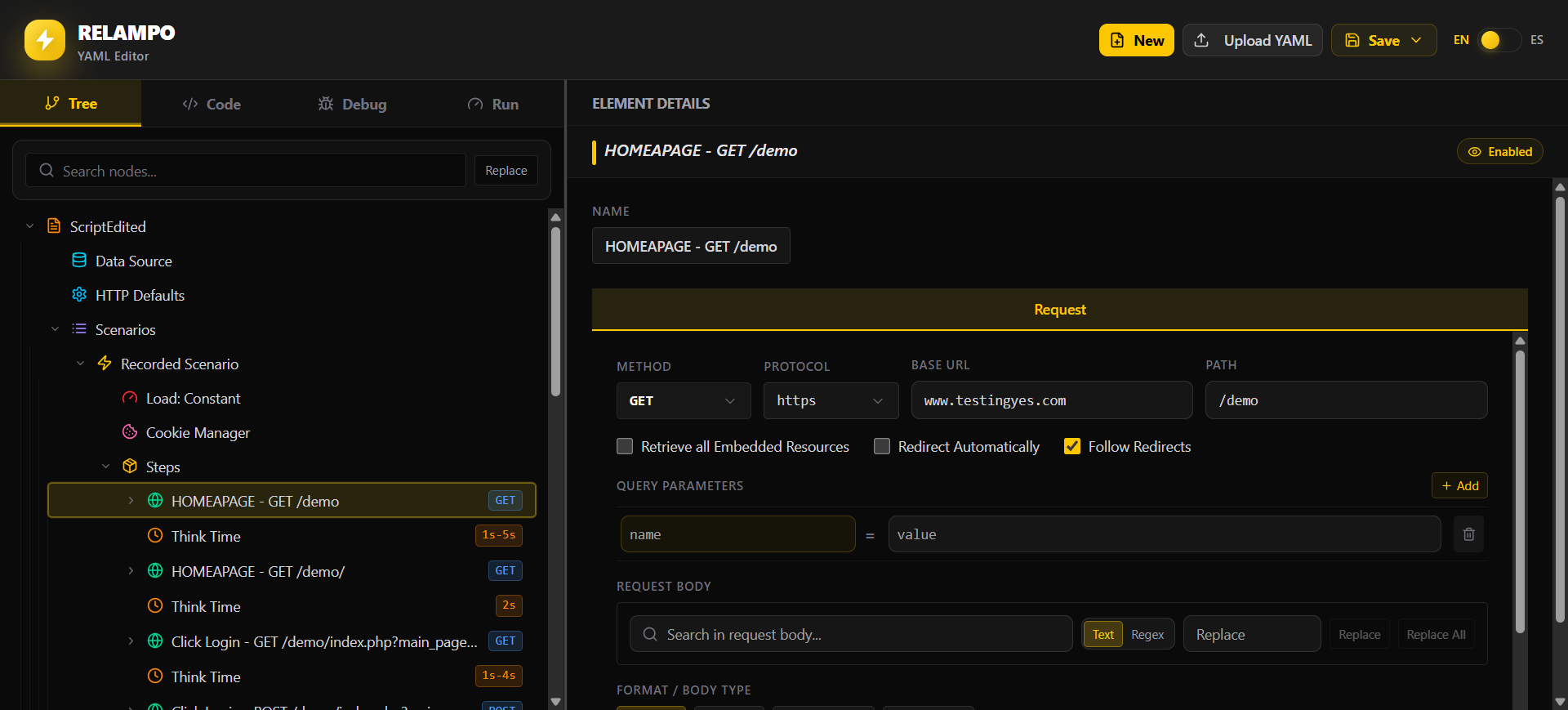
Tree is the visual document structure in Relampo Studio. It lets you review each YAML component as a node instead of editing only raw text.
Review and add components
Use Tree to select a request or any other component and review its details in the element details panel. Depending on the selected component, the panel also lets you review or add its available elements. You can add new components to the Test Plan, then duplicate, delete, enable, disable, or reorder nodes. Drag and drop helps organize the YAML structure while Studio keeps the document synchronized with its canonical YAML.
Add components in context
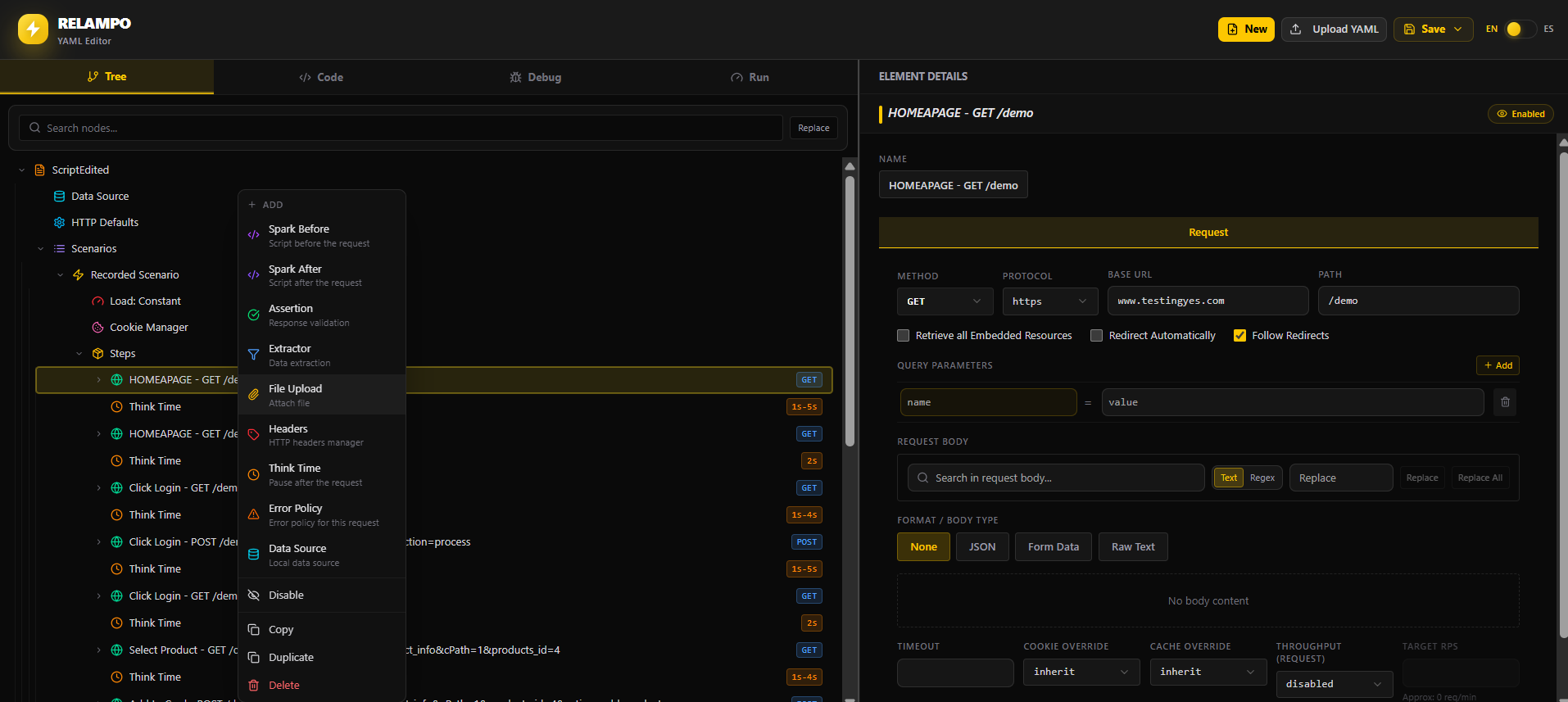
Right-click the selected component to add a new component. The available options depend on the component you selected, so Studio keeps additions valid for that part of the Test Plan.
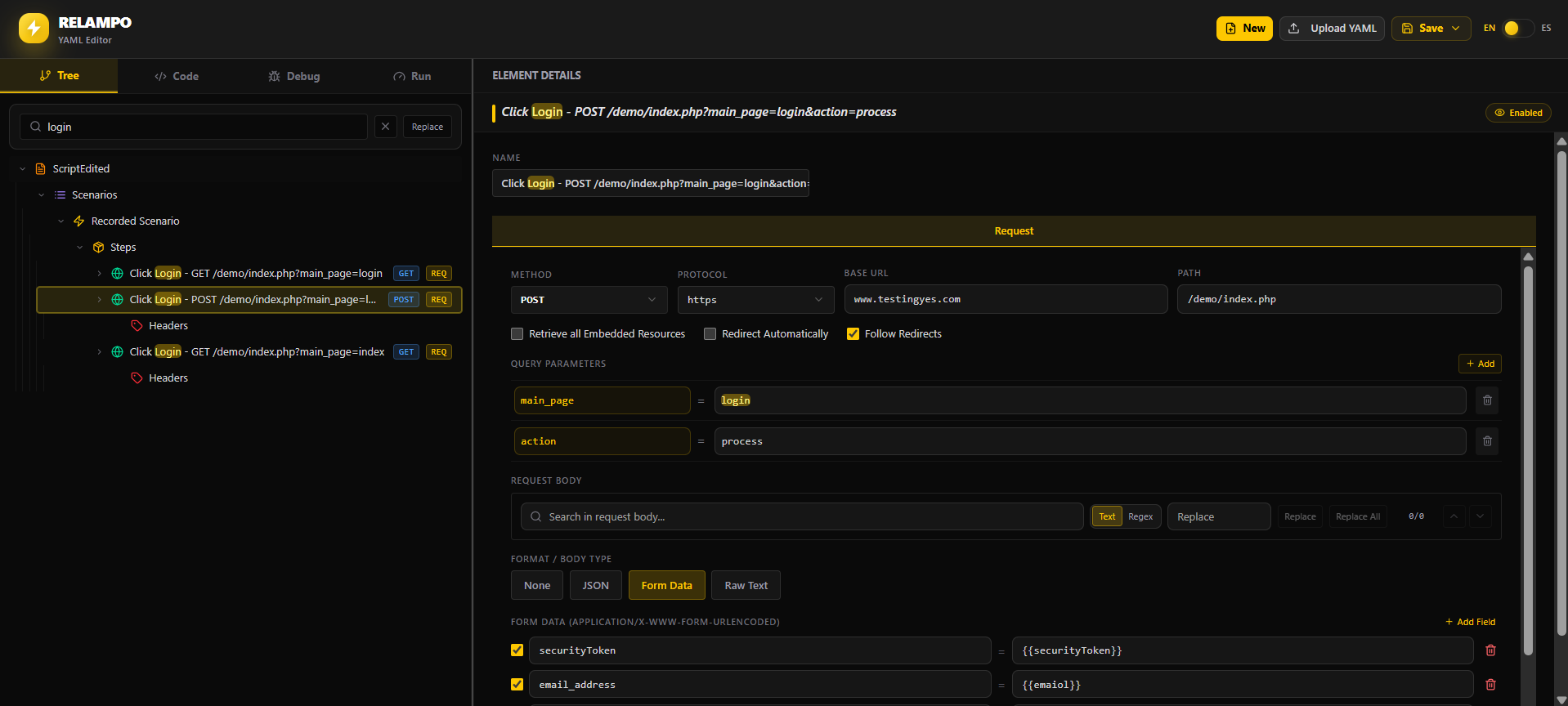
Find a specific element
Use Tree search to find information for a specific request or component. This helps you move directly to the relevant node when a Test Plan contains many requests and configuration elements.