Run
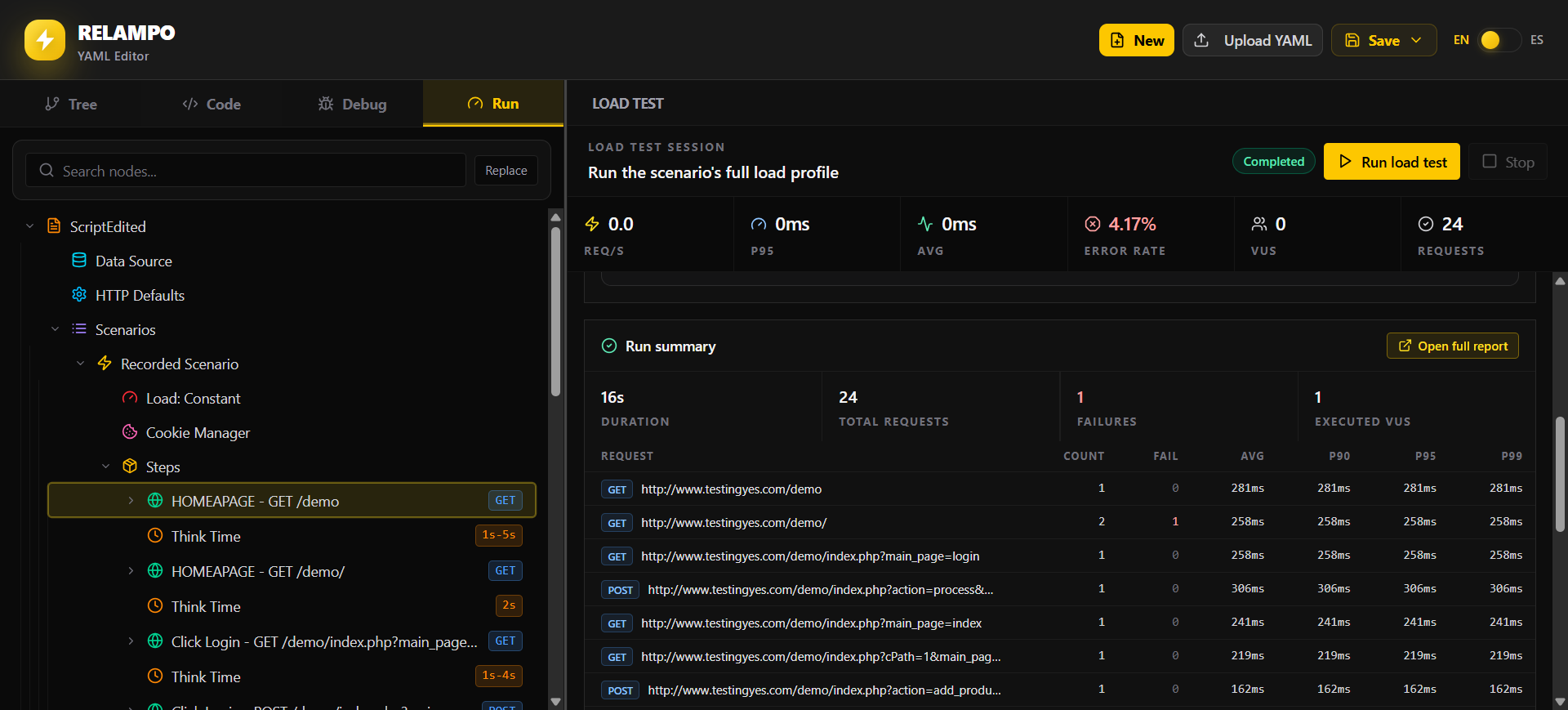
Run executes the scenario visually using the load configuration specified in
its YAML. While the test runs, Studio shows its results in real time: execution
state, virtual users, rates, latency, failures, logs, charts, and metric
snapshots. You can stop an active run and inspect its partial summary.
The Run screen lets you follow this live execution and its current results.
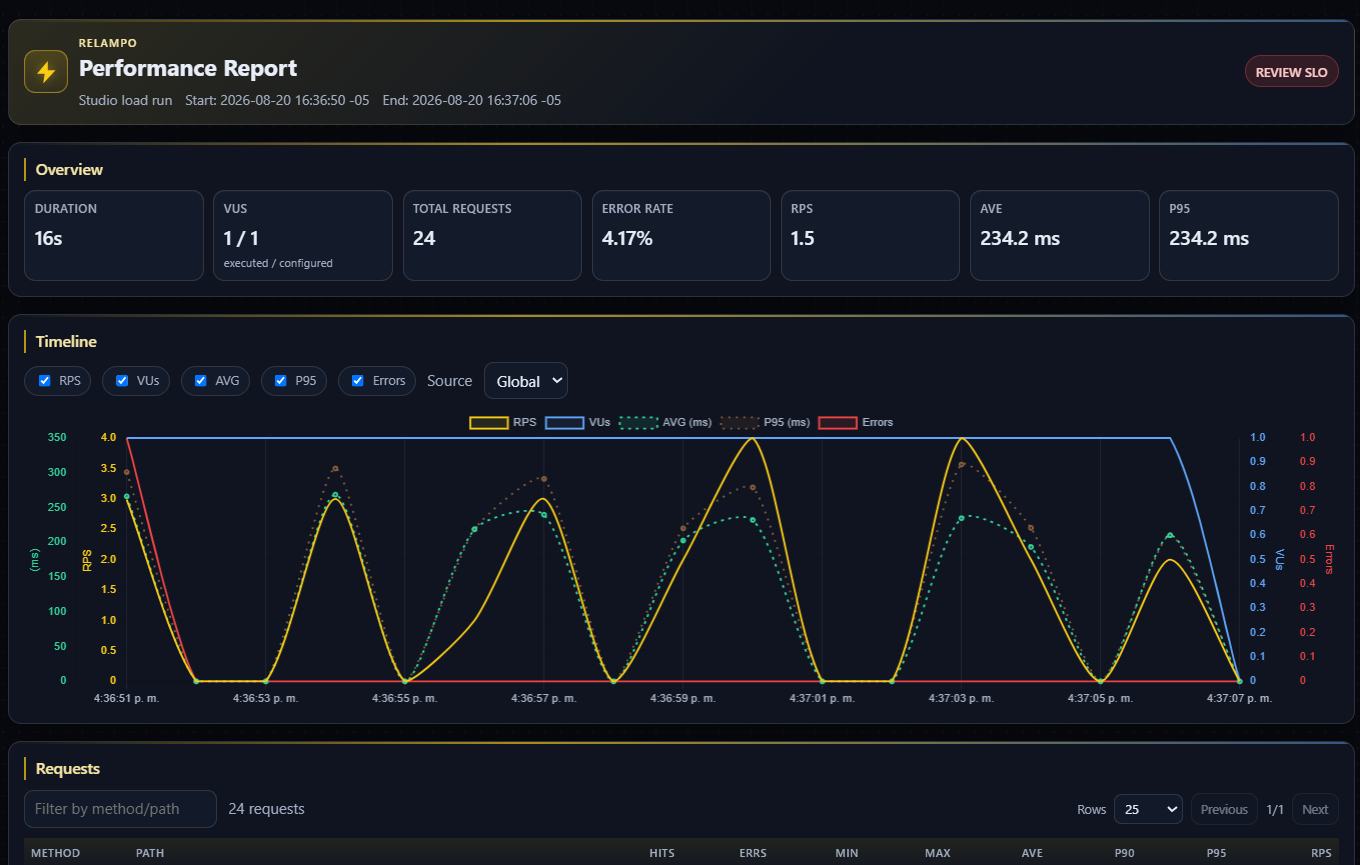
When the test completes, open its report to review information about the load generator machine, executed requests, logs, charts, and aggregated metrics. The following image is the generated report view.
For local JSON, HTML, CSV, or TXT report files, use relampo run from the CLI.